Submit Application
Once Submit Deal is clicked at the end of Continue Deal section, Lane will automatically redirect you to one of the two following screens:
- Fraud Check is configured
- Fraud Check is not configured
Fraud Check Configured
If fraud check is configured, the application can either pass or fail the fraud check.
After fraud check is completed, regardless of the result of the fraud check, the Request Status of the deal on the Deals page will be updated to Reviewed.
Fraud Check Failed
If fraud check it configured, and the deal is unable to pass the fraud check, Lane will will show the deal with status Fraud Check Failed:
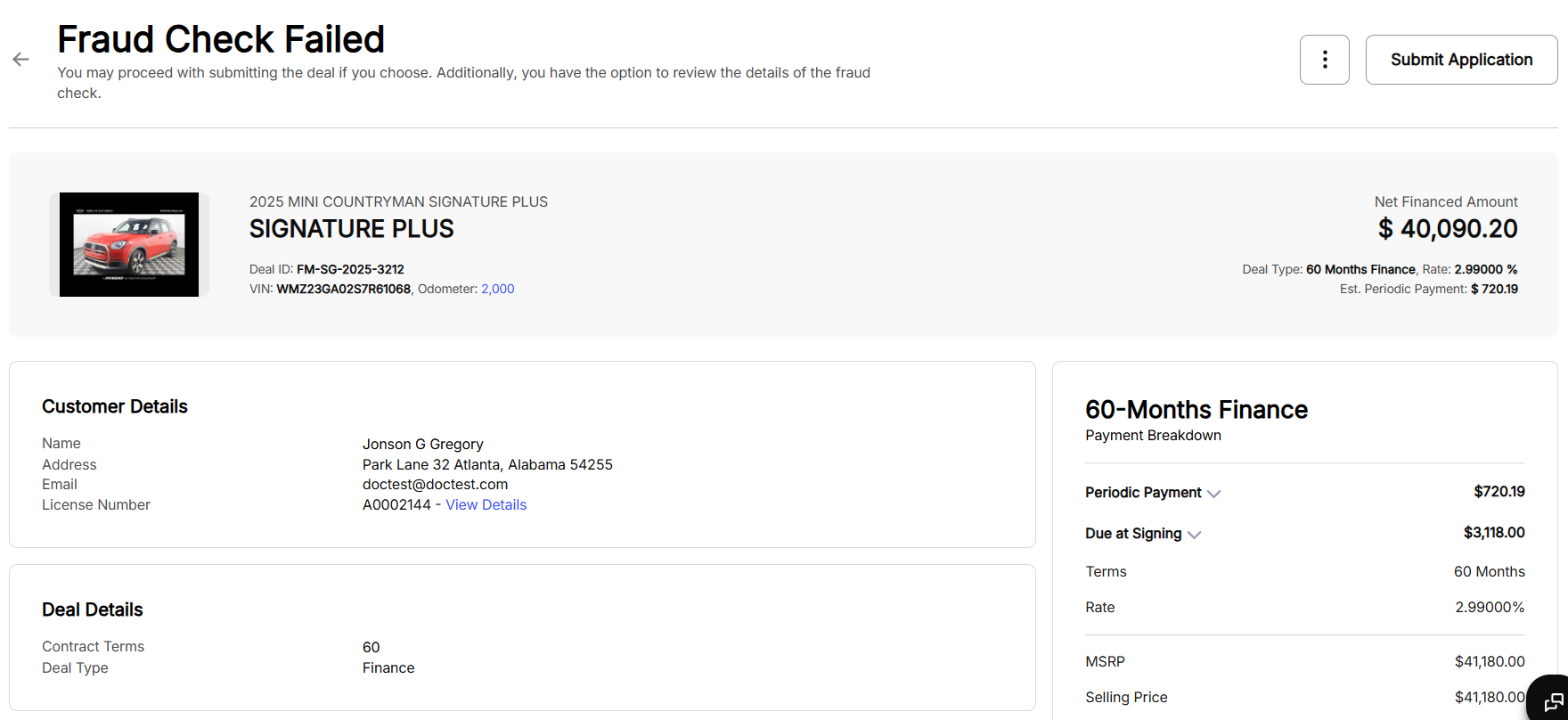
You can choose to proceed with submitting the fraud check failed deal at your own discretion.
Fraud Check Passed
If fraud check it configured, and the deal successfully passes the fraud check, Lane will will show the deal with status Deal Reviewed Successfully:

Fraud Check Not Configured
If fraud check isn’t enabled, Lane will simply save the deal and prepare it for submission:

Submit Application
Whether Fraud Check is configured or not, the deal details remain the same. In the breakdown of the details of the deal on this page, you can see:
- Customer Details: Customer details include -
- Name: The name of the customer
- Address: The address of the customer
- Email: The email address of the customer
- Driver’s License Number: The driving license number of the customer
- Deal Details: Deal details include -
- Contract Terms: The duration of the agreement, expressed in months
- Deal Type: The type of deal
- Rebates Details: Eligibility documents to avail the rebates need to be uploaded here.
- Trade-In Details: Trade-In details include -
- Trade-in make/model/trim: Manufacturer (make), model name, and specific trim
- Our Offer: The appraised trade-in value
- Lease Balance: The remaining amount owed on the customer
- Net Trade-In Amount: The trade-in value after deducting any outstanding loan or lease balance
- Estimated Mileage: The vehicle’s current or projected mileage
- Condition: The condition of the vehicle
- Payment Breakdown: Payment breakdown details might include -
- Periodic Payment: The recurring payment amount
- Due at Signing: The total amount payable upfront
- Term: The duration of the agreement, expressed in months
- Rate: Representing the cost of borrowing
- MSRP: Manufacturer’s Suggested Retail Price
- Selling Price: The negotiated vehicle price
- Down Payment: The amount paid upfront
- Rebates: Manufacturer or dealer incentives
- RV/Balloon: Residual Value or Balloon Payment
- Add-Ons: Optional accessories or products
- Fees: Additional costs and fees
- Trade-In Equity/Inequity: The value difference between the customer’s trade-in vehicle and the remaining balance on its existing loan
- Net Financed Amount: The final total amount financed
- Financed Charges: The total cost of borrowing
- First Payment Date: The scheduled date when the first periodic payment is due
- Total Deal Payment: The overall amount the customer will pay over the term of the agreement
You can also view the KYC breakdown. To view the KYC breakdown, click the icon and select View KYC:

Clicking View KYC will open the Source Response Details popup:

If the deal contains a trade-in, you also need to provide Odometer Reading details in order to submit the application. To provide odometer reading details, click the button highlighted below:
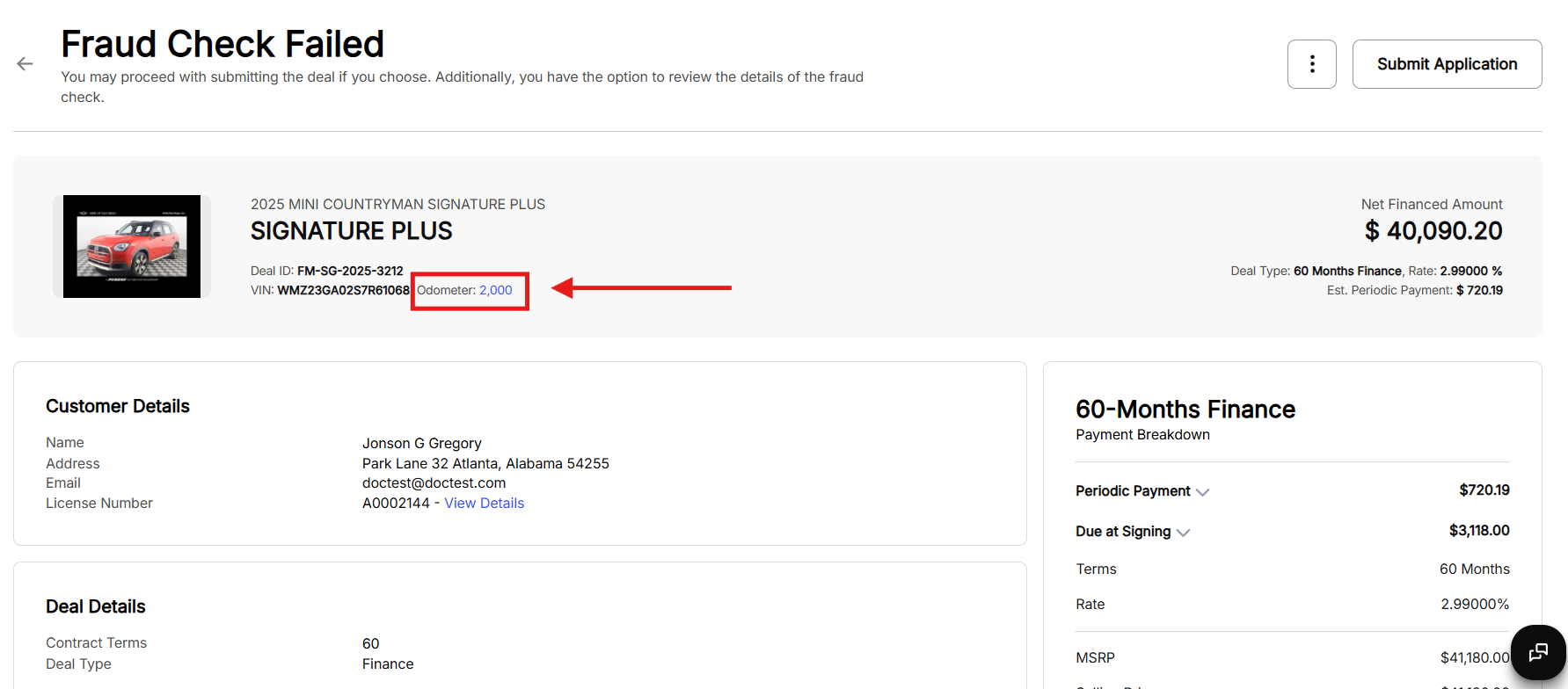
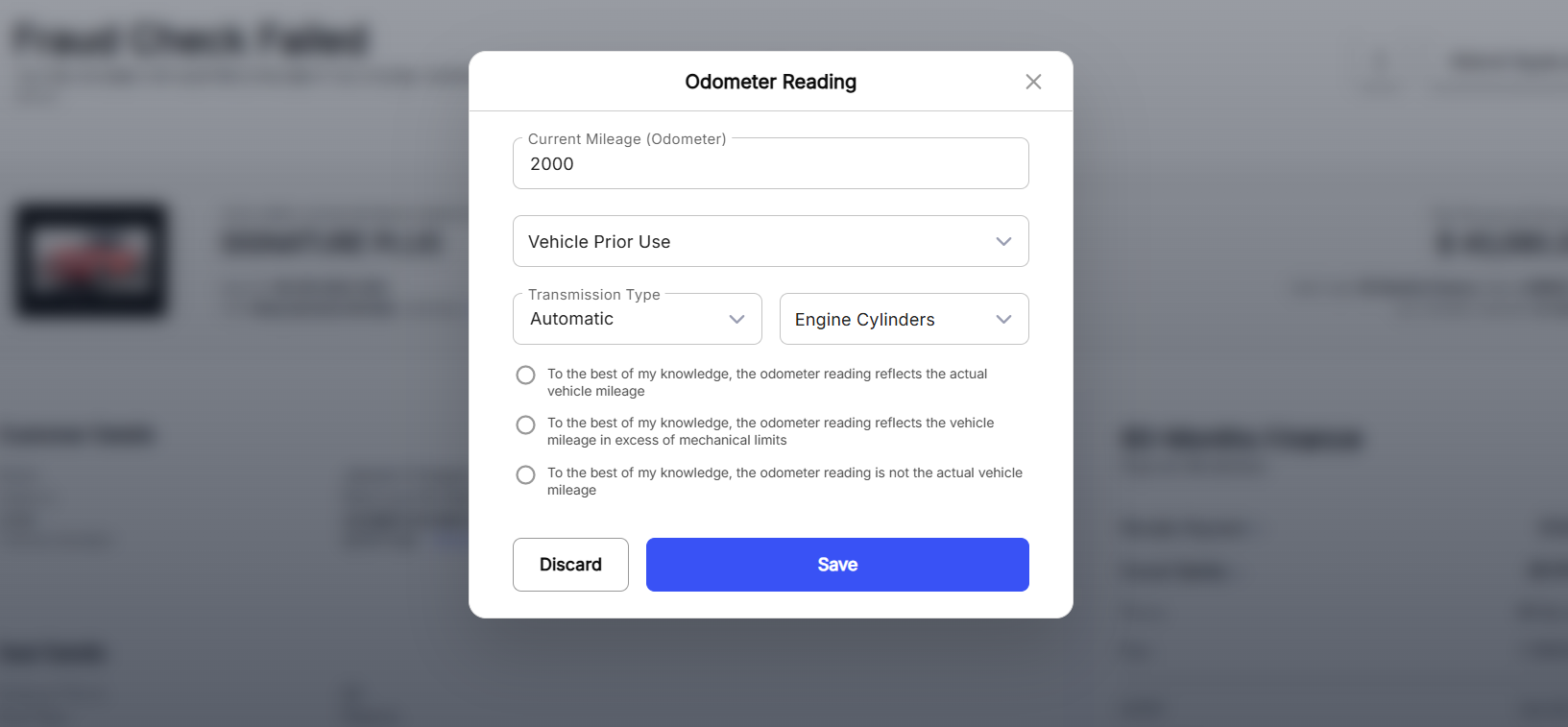
This will open the Odometer Reading popup, provide the required details and click Save:
Review the deal and click Submit Application to send the applications to Lenders for credit response:

After Submit Application is clicked, Lane will ask you to select the Lenders to which you want to submit the application.
On the Select Lender popup, choose suitable lenders and click Submit Application.

Once the application is submitted to Lender(s) at the end of this section for credit response, it will show up on the Deals page with the tag Submitted.
Additional Features
Once the deal is submitted, there are additional options available to you in the three dot icon:
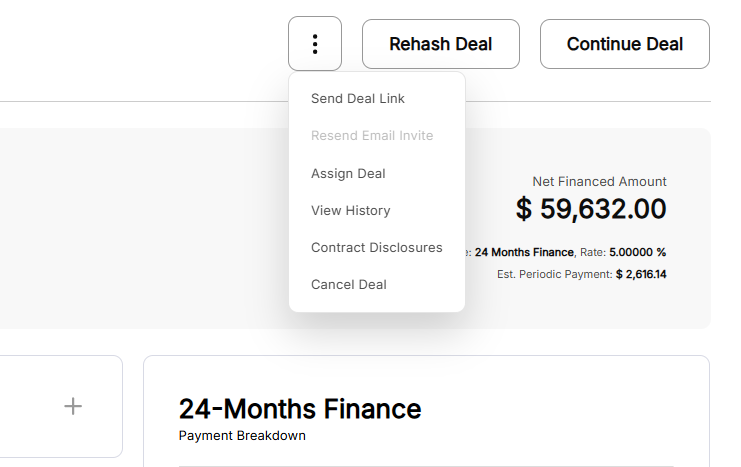
These additional features include:
- Send Deal Link
- Resend Email Invite
- Assign Deal
- View History
- Contract Disclosure
- Cancel Deal
In addition to the features available in the three dot icon, you can also change the stock number of the asset that was added.
Send Deal Link
Once Send Deal Link is click, the system will automatically send the deal link to the customer associated with the deal.
Resend Email Invite
Once Resend Email Invite is clicked, a link will be sent to the customer for them to collaborate in the deal creation process remotely via Drift.
The availability of this features depends on the Tenant and Dealership configurations.
Assign Deal
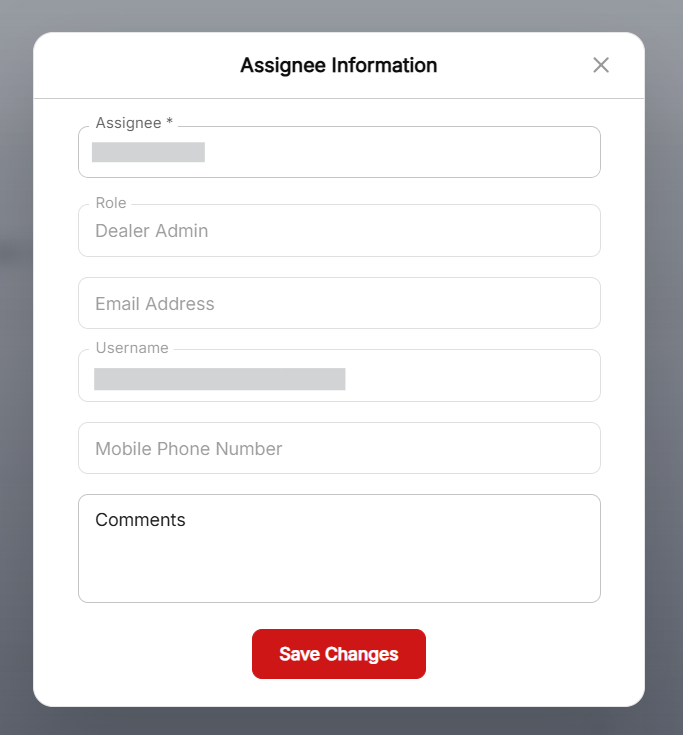
Click Assign Deal to specify/change the dealer responsible for the deal. Once the Assign Deal is clicked, it will open an Assignee Information popup:
View History
Click View History to view the history and changes in the deal.
Contract Disclosure
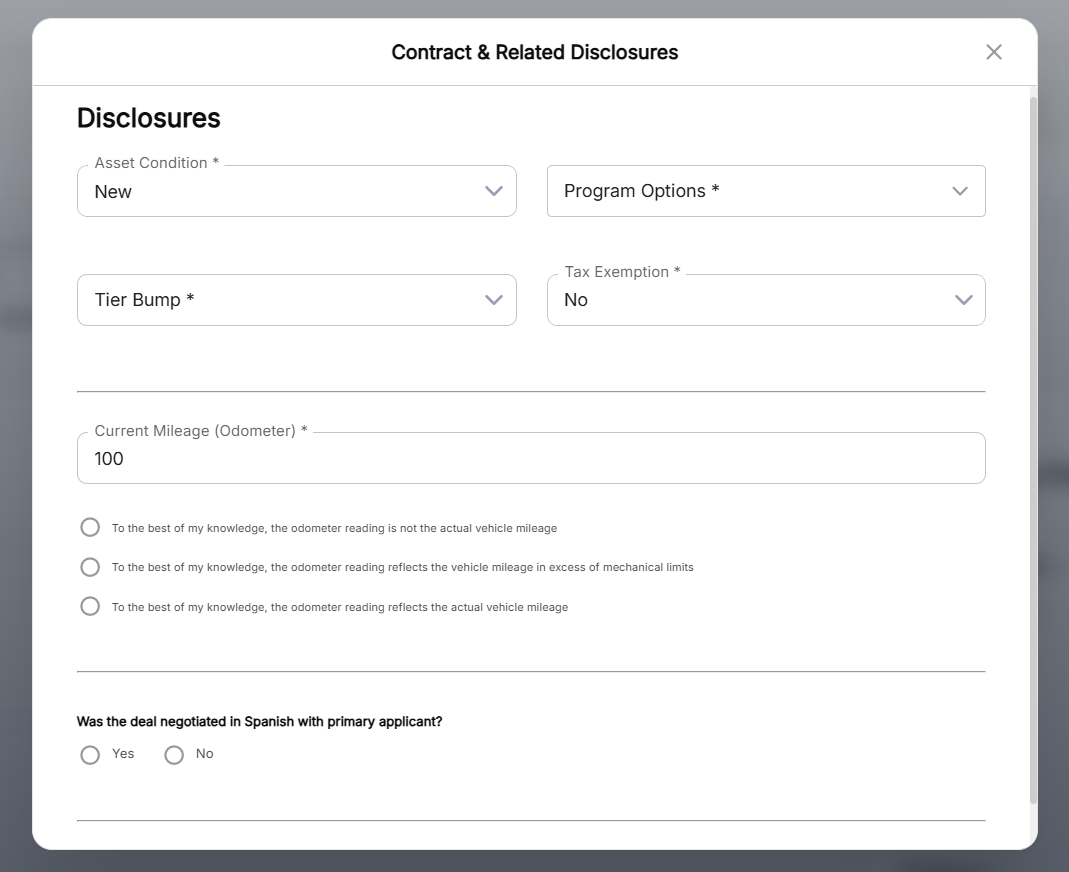
Click Contract Disclosure to view the contract disclosure and make changes if required. Once the button is clicked, it will open the Contract & Related Disclosures popup:
Cancel Deal
Click Cancel Deal to cancel the deal. This will move the deal to Canceled/Declined/Withdrawn section.
Stock Number
You can update the stock number of asset if required. To update the stock number, click the edit icon available right beside the stock number and enter an update stock number:
