Reporting Hub
The Reporting Hub provides centralized access to reports that have been configured and published by system administrators. Users can view available reports, select a reporting period, and download report data for offline analysis. Reports are automatically refreshed based on the configured schedule to ensure users have access to the latest available information.
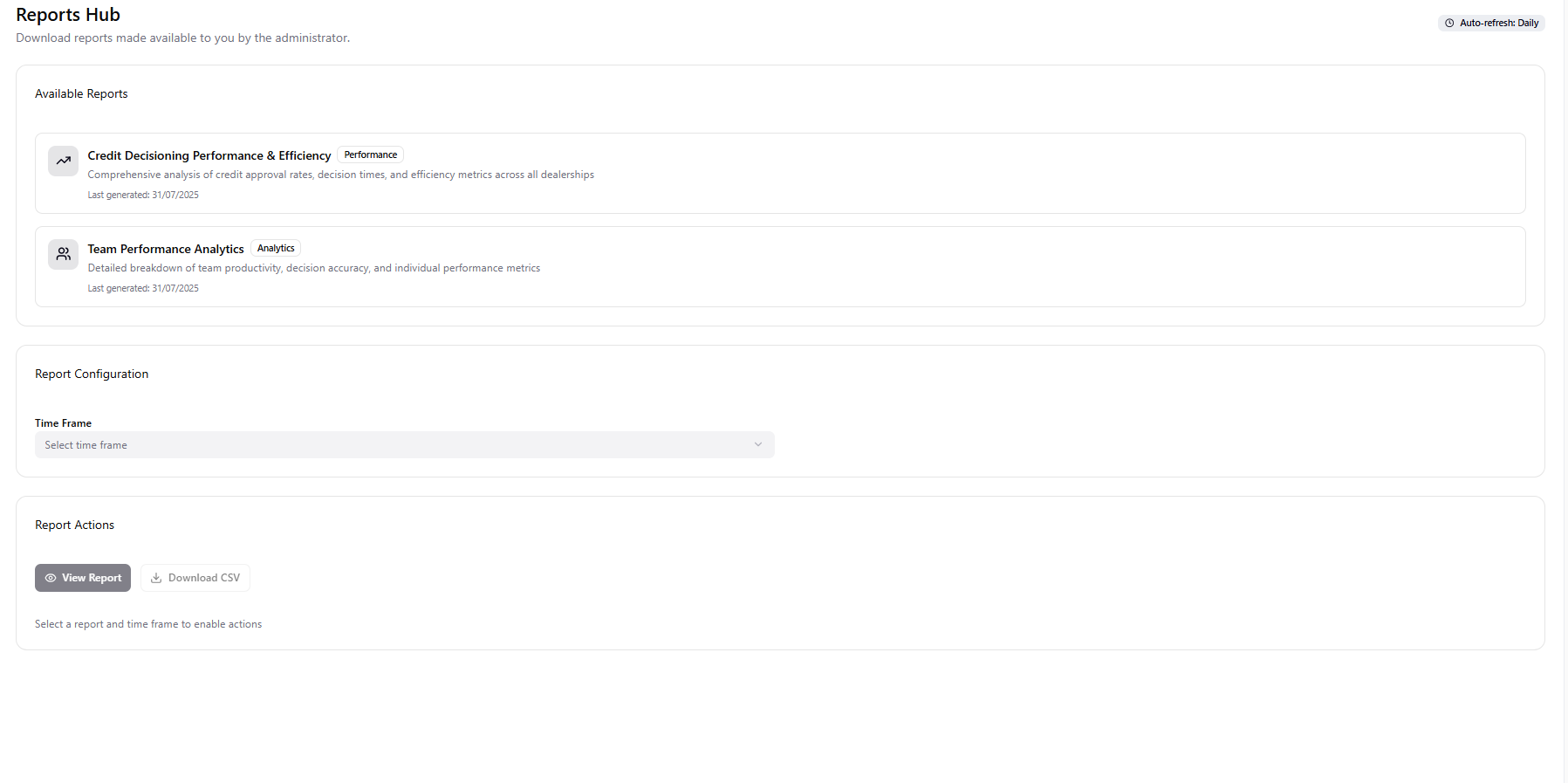
The Reporting Hub displays only the reports that have been made available to your user account by the system administrator.
Available Reports
The Available Reports section displays the reports that can be viewed or downloaded.
Each report includes:
- Report Name – Identifies the report.
- Category – Indicates the report classification.
- Description – Provides a brief summary of the report contents.
- Last Generated – Displays the date on which the report was most recently generated.
Report Configuration
The Report Configuration section allows users to specify the reporting period before viewing or downloading a report.
Time Frame
Select the required reporting period from the Time Frame drop-down list. The selected time frame is applied when generating or downloading the selected report.
Report Actions
After selecting a report and time frame, the following actions are available:
View Report
Opens the selected report for on-screen viewing.
Download CSV
Downloads the selected report in CSV format for further analysis or sharing.
Select both a report and a reporting time frame before attempting to view or download a report. Report actions remain unavailable until the required selections have been made.