Manage Templates
To manage template Dock offers the functionality to:
- View Templates
- Search Templates
- Sort Templates
- Template Actions
View
The main interface displays all existing templates by default:

Search
Use the Search Bar to quickly find specific templates by name or keywords:

Sort
Sort templates using the dropdown options:
- Name: Sort alphabetically.
- Date Ascending: Sort by creation date (oldest first).
- Date Descending: Sort by creation date (newest first).

Actions
Template Actions include:
- Download: Click the Download icon to save the template to your system.
- Edit: Click the Edit icon to modify the template using the built-in and integrated editors.
- Delete: Click the Delete icon to remove the template. Confirm the deletion when prompted.

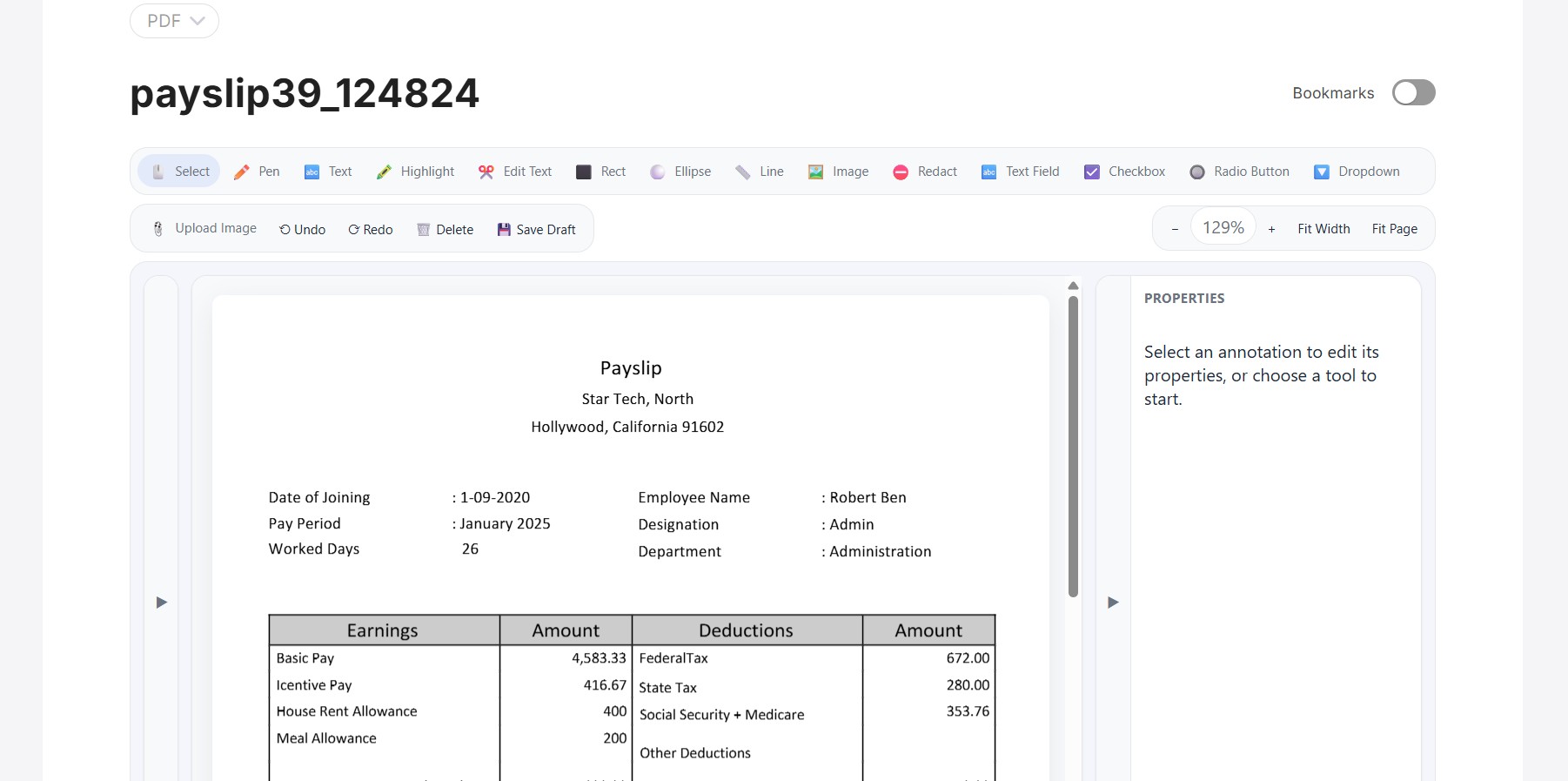
To edit a PDF template, Dock offers a specialized PDF editor with a plethora of features to create and customize the template: