User Management
User Management provides a centralized system for managing user accounts, roles, and access permissions. This feature allows administrators to efficiently add, edit, or remove users while assigning specific user group roles and privileges. It ensures that every user has the appropriate level of access to the system, maintaining data security and operational efficiency. The module also facilitates the tracking and verification of user details, enabling organizations to uphold system integrity and compliance.
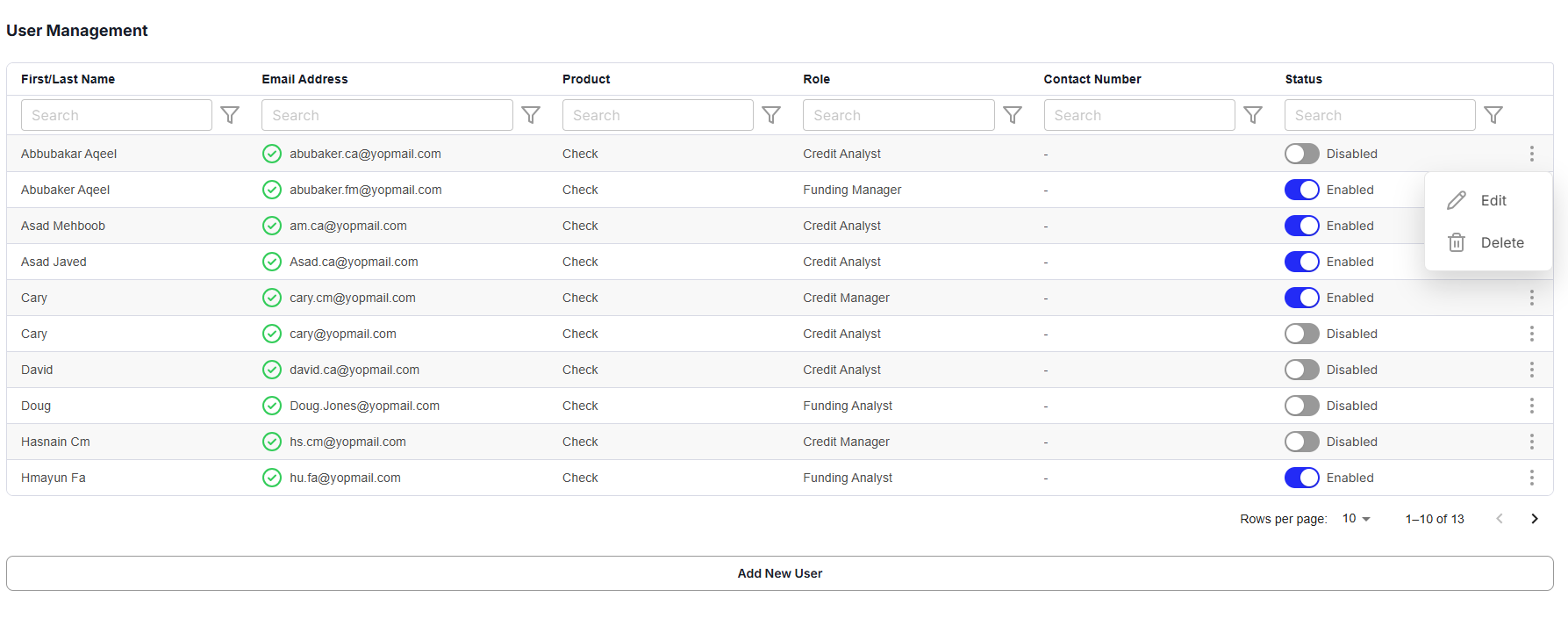
Only users with the appropriate administrative permissions can create, modify, enable, disable, or delete user accounts.
-
First/Last Name: Represents the user’s full name for identification within the system.
-
Email Address: Stores the user’s email address for login and communication. A Green Tick Mark next to the email address indicates the user is verified, while a Red Exclamation Mark signifies the user is not verified.
A user must verify their email address before accessing the system. The verification status is indicated by the icon displayed next to the email address.
-
Product: Displays the products the user has access to or is associated with.
-
Role: Specifies the assigned user group role (e.g., broker, dealer, lender), which determines the user’s permissions and access levels.
-
Contact Number: Contains the user’s phone number for communication and verification purposes.
-
Status: Shows whether the user’s account is Enabled or Disabled.
-
Ellipsis Menu: Located on the right side of each record, it provides actions to Resend Email Invite, Edit, or Delete the user’s details.
-
Add New User: This option allows administrators to create a new user account. Overlapping user records cannot be created, ensuring that each user has a unique profile in the system.
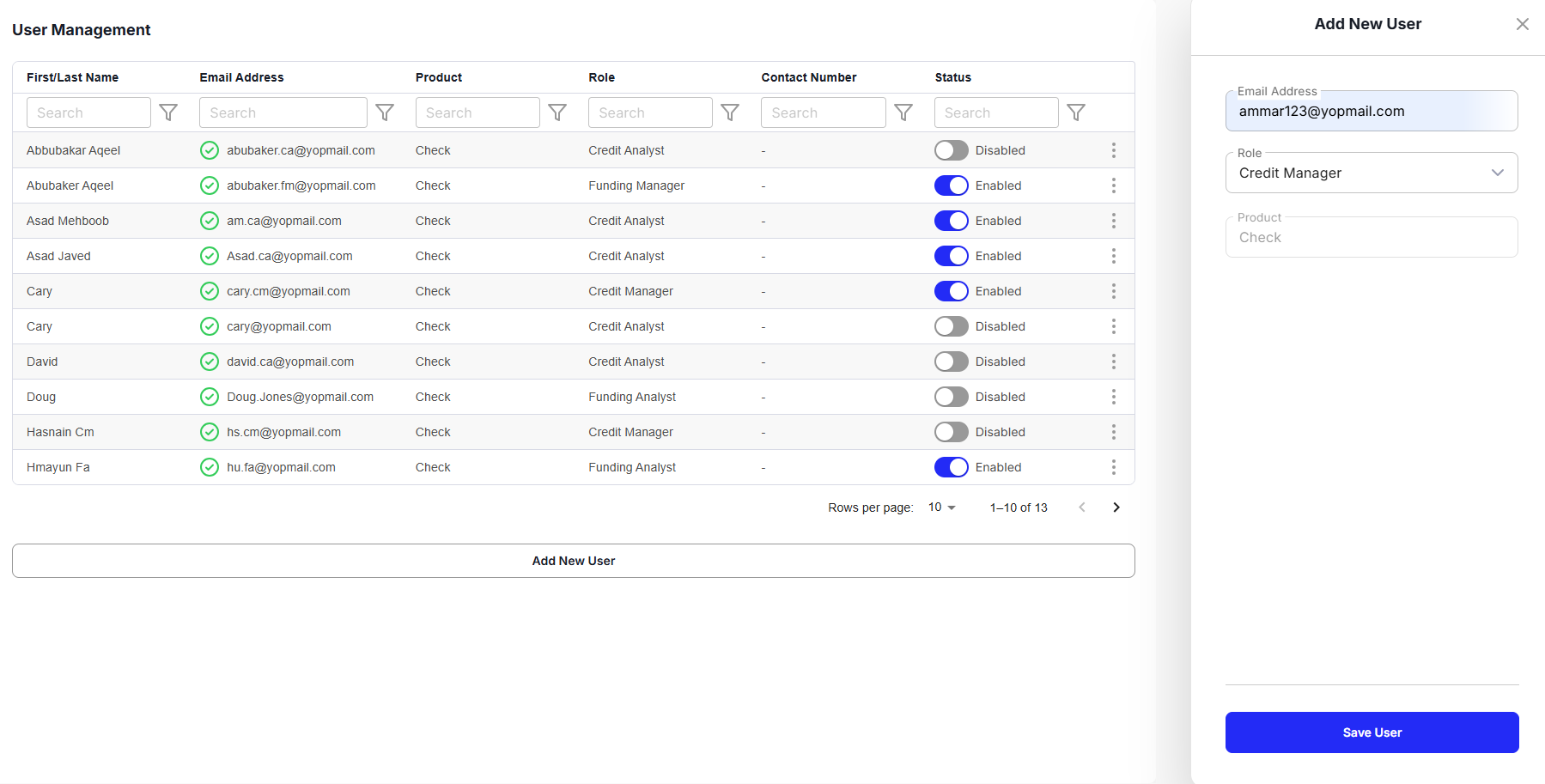
Each user account must be unique. The system does not allow duplicate user records with overlapping user information.
User Management streamlines the process of maintaining secure access, supporting organizational operations by providing tailored access controls for each user group role.